
AI-powered tambola caller · English & हिन्दी
Online tambola for any crowd — on one big screen.
PlayTambola.Live is an online tambola game — housie, if that’s what your family calls it — for any crowd. Put it on a big screen and everyone plays on their own phone. Our AI-powered caller gives every number a witty line and says it aloud, and the server checks every win — so there’s never an argument over a Full House.
Free for games up to 5 players — every feature included.
No laptop needed: host from your phone and put the game on your TV.
Try a demo game — no sign-up. You host, four bots play.
- 100% free for players
- No betting
- No cash prizes
- No app download
- Freeup to 5 players
- 200players per game
- Seatsnever expire
- English& हिन्दी
Our story · GT Connect 2026
Why did we build an online tambola game?
PlayTambola.Live was built in-house by the Guava Trees Softech team for our own annual event, GT Connect. One game turned into two by popular demand — people still wanted more when time ran out — and the buzz lasted a whole month. That’s when we knew it was ready for every crowd.
Read how it started- Built in-house by our engineers
- Second game by popular demand
- A month of buzz after the event
Powered by AI
How does the AI tambola caller work?
A tambola night is only as fun as its caller, so ours is AI-powered. In paid games it writes a fresh, witty, family-safe line for every number live, in English or Hindi, and it’s spoken aloud — by the big screen, or by your own phone or computer when you cast to a Chromecast or Google TV. Free games draw on a growing bank of hand-curated and AI-written lines.
Caller lines are written by AI, running on our own LLM gateway.
Fresh lines, written live
In paid games (more than 5 players), the AI caller writes a new, witty line for each number as it’s called — in English or Hindi.
Family-safe, every line
Every line passes family-safe filters before anyone hears it: no money, betting, alcohol, religion, politics or insults.
Spoken aloud
Text-to-speech reads each number and its line aloud in English or हिन्दी — from the big screen, or from your phone or computer when you cast (keep its screen on). Big room? Connect that device to a Bluetooth speaker or the hall’s sound system. Players’ phones stay quiet.
Free games get the fun too
Free games draw on a large bank of hand-curated and AI-written lines that grows with every game.
Hear the caller
A few real lines the caller says, in English and Hindi.
Drumroll, please — number 27!
From the free-game line bankWho's still waiting on 42?
From the free-game line bankNumber 63 on the big screen — dab it!
From the free-game line bank- हिन्दी
ऑटो भर गया — 58, अट्ठावन वाला!
From the free-game line bank - हिन्दी
बिस्कुट डुबाओ, छियासी 86 आ धमका!
From the free-game line bank
This preview uses your device's own voice. In a game, the big screen speaks — or, when you cast, your phone or computer does. When you cast to a Chromecast or Google TV, the caller's voice plays from your own phone or computer, so keep its screen on; a TV linked by code speaks once you turn its voice on, if its browser supports speech, otherwise your device does.
How it works
How do you play tambola online in 3 steps?
Create a game and put it on your TV from your phone — or on a laptop or projector. Guests scan the QR code or type the game code on their phones — no app, no login. You tap Next number, the server picks it at random, the caller says it aloud and every win is checked — at your pace. No printing, no number bag, no checking tickets by hand: you run the room, we run the game.
- 1
Create your game
Sign up, choose which prizes are in play and set your capacity. Put it on your TV: cast from your phone or computer to a Chromecast or Google TV, or pair any TV browser by code (iPhone too). A laptop or projector works too. - 2
Guests scan & join
Players scan the QR code on the big screen or type the game code on their phone. Just a name — no app, no login. - 3
Call, tap, celebrate
Tap Next number when the room is ready: the server picks it at random and the caller says it aloud with a witty line. Players tap their tickets; wins are checked and celebrated automatically.
New to the game? Read the tambola rules and see every prize pattern. Running a paper game? Print free tickets with the ticket generator — no sign-up.
Cast to TV
Can you put tambola on your TV without a laptop?
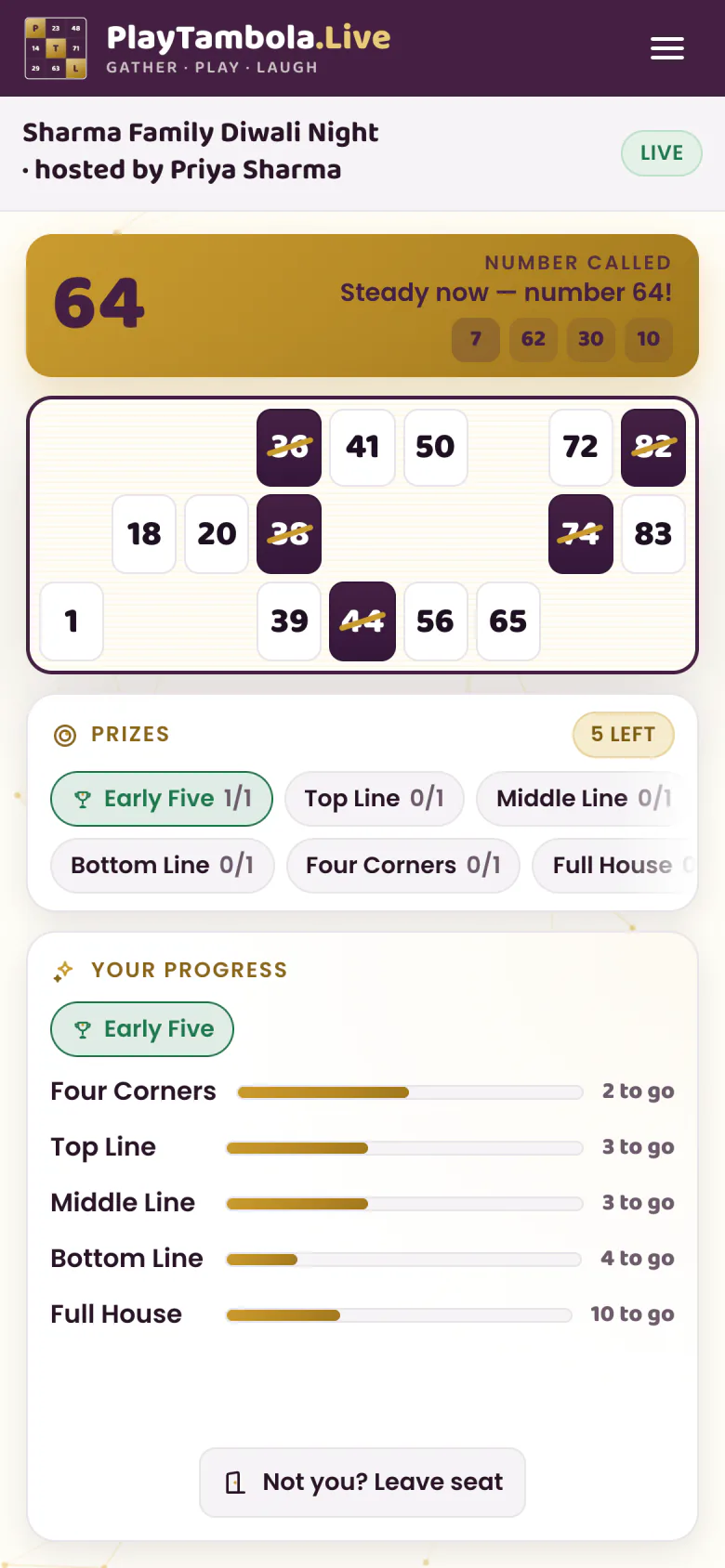
Yes — your phone and your TV are enough. Cast from Chrome on an Android phone or a computer to a Chromecast or Google TV, or open the TV address on a smart-TV browser or Fire TV and pair it with a code, which works from an iPhone too. Nothing gets installed on the TV, and players still join on their own phones.
When you cast to a Chromecast or Google TV, the caller's voice plays from your own phone or computer, so keep its screen on; a TV linked by code speaks once you turn its voice on, if its browser supports speech, otherwise your device does.
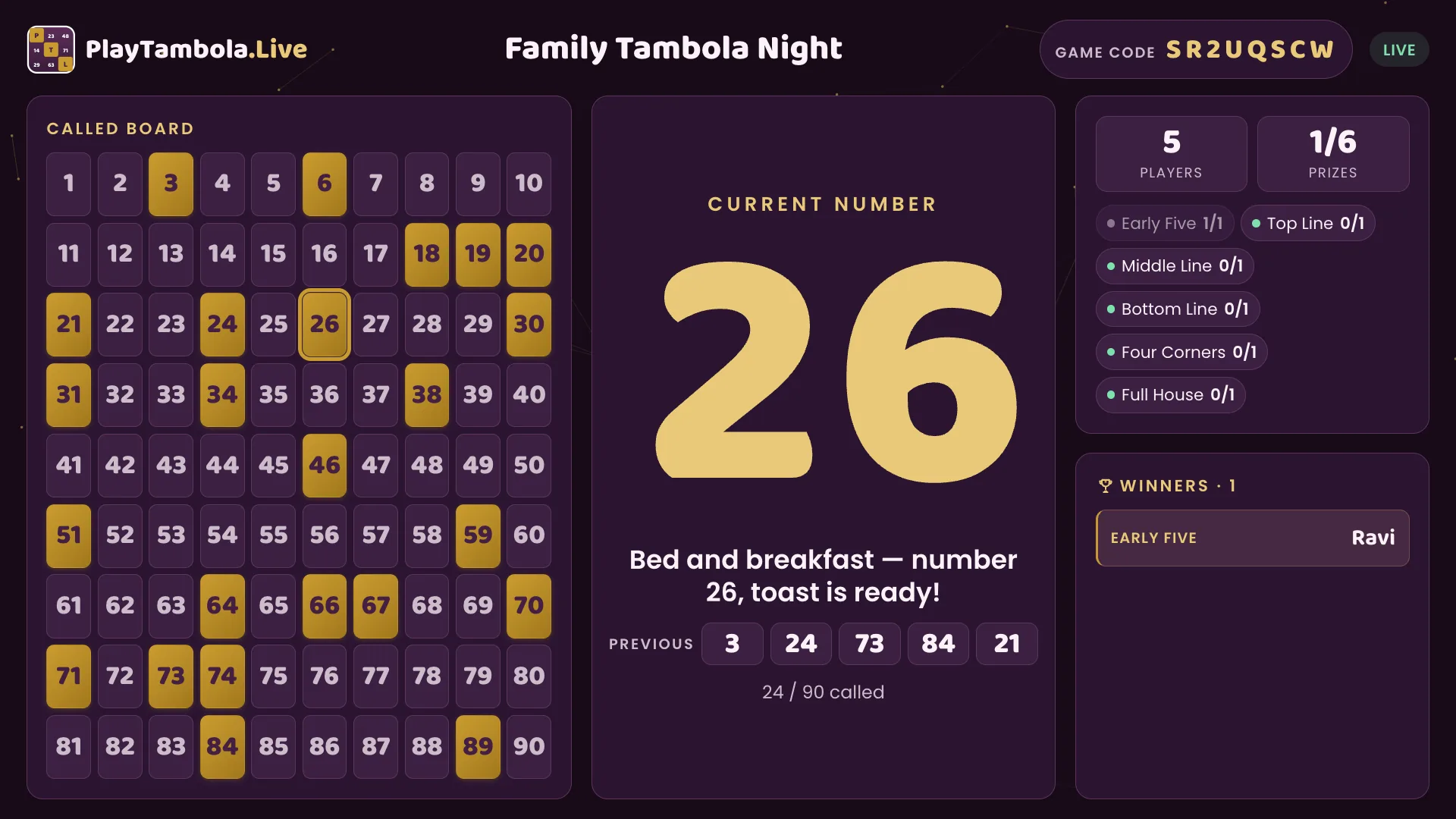
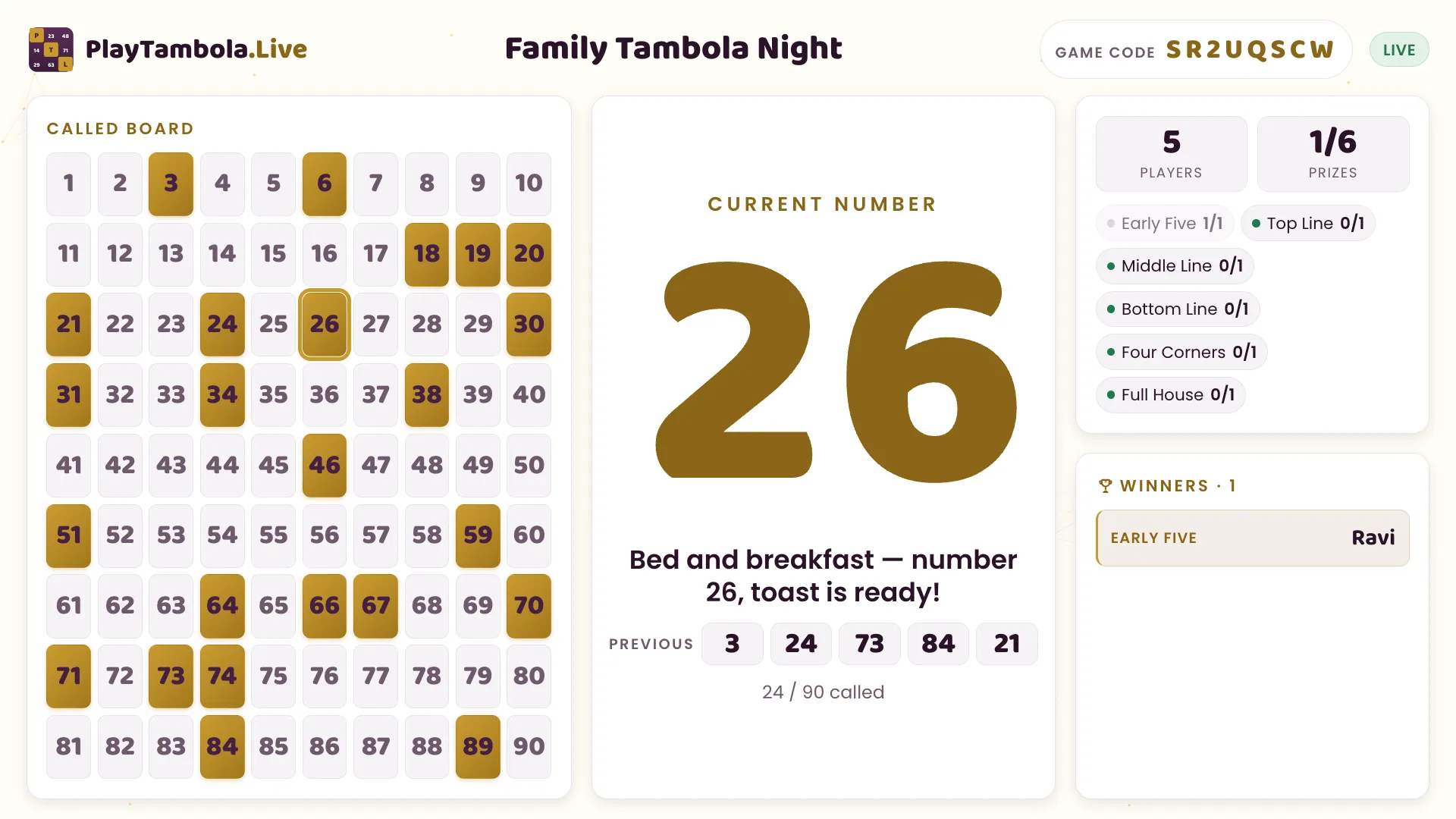
Which way is mine?
Cast
- If
- You host from Chrome on an Android phone or a computer, and your TV has a Chromecast or Google TV.
- Then
- Cast the game to the TV from Chrome. Nothing gets installed on the TV.
Show on TV by code
- If
- You host from any other phone, iPhone included — or your screen is a smart-TV browser, Fire TV or a laptop browser.
- Then
- Open the TV address on that screen, then type the code it shows into your phone.
Hosting from an iPhone and your only screen is a Chromecast? Run the game from an Android phone or a laptop instead.
Housie with friends
Can you play housie online with friends?
Yes. Put the game on your TV from your phone (or on a laptop), and friends join from their own phone browsers by scanning the QR code or typing the game code — just a name, no app, no login. Games with up to 5 players are free with every feature, and bigger groups play exactly the same way using seats.
- Join by QR code or game code
- Free for games with up to 5 players
- Up to 200 players in one game
Playing remotely? Share the big screen on Zoom, Teams or Google Meet with sound on — everyone joins from their own phone. Virtual tambola on a video call
Watch it in action
What does an online tambola game look like?
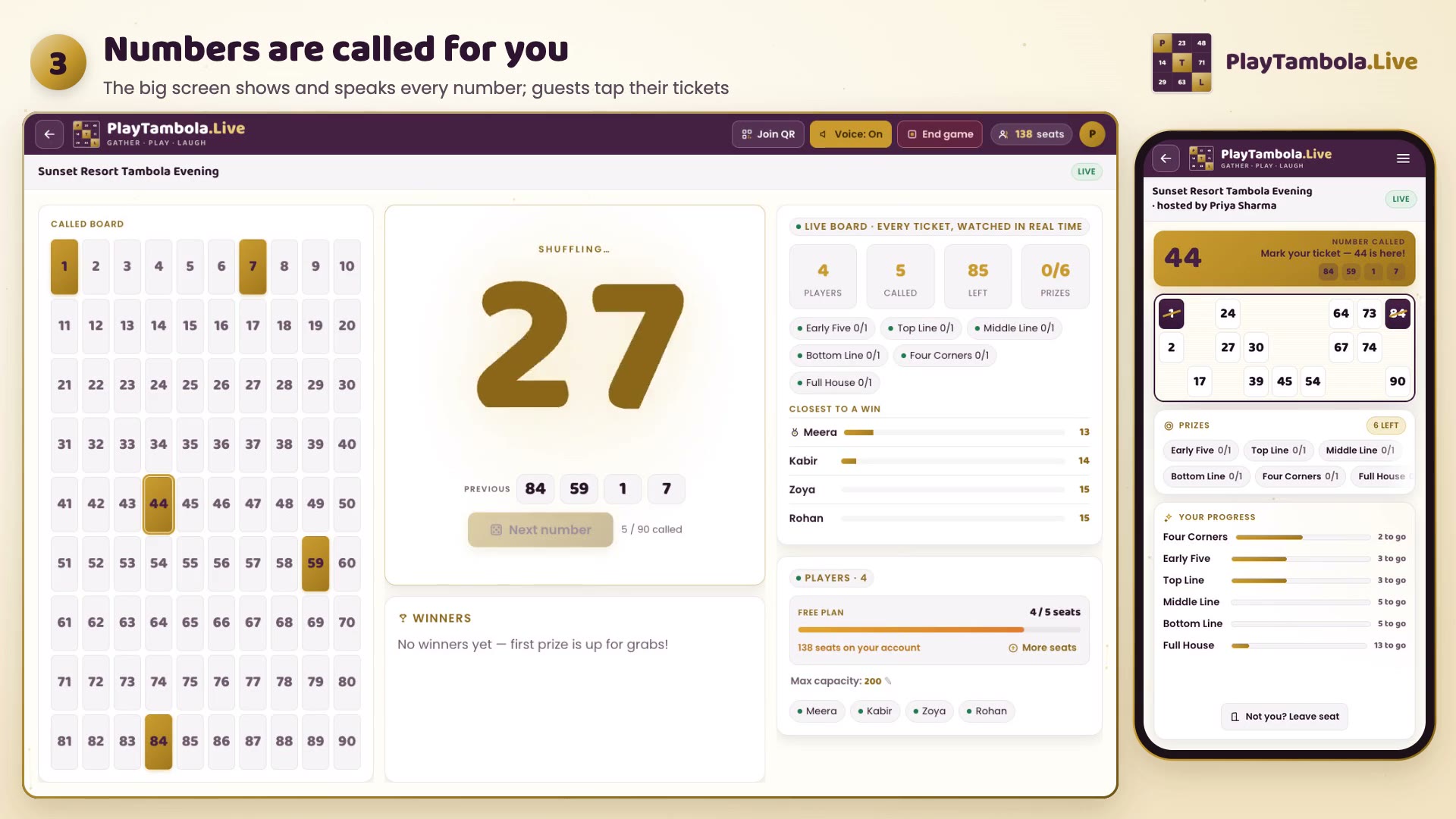
Here’s a real game, start to finish: the host taps Next number, the big screen animates each call and the caller says it aloud while a player taps their 3×9 ticket on a phone. Wins are checked by the server and celebrated on screen, so the whole room follows one game together — one big screen, every guest on their own phone.
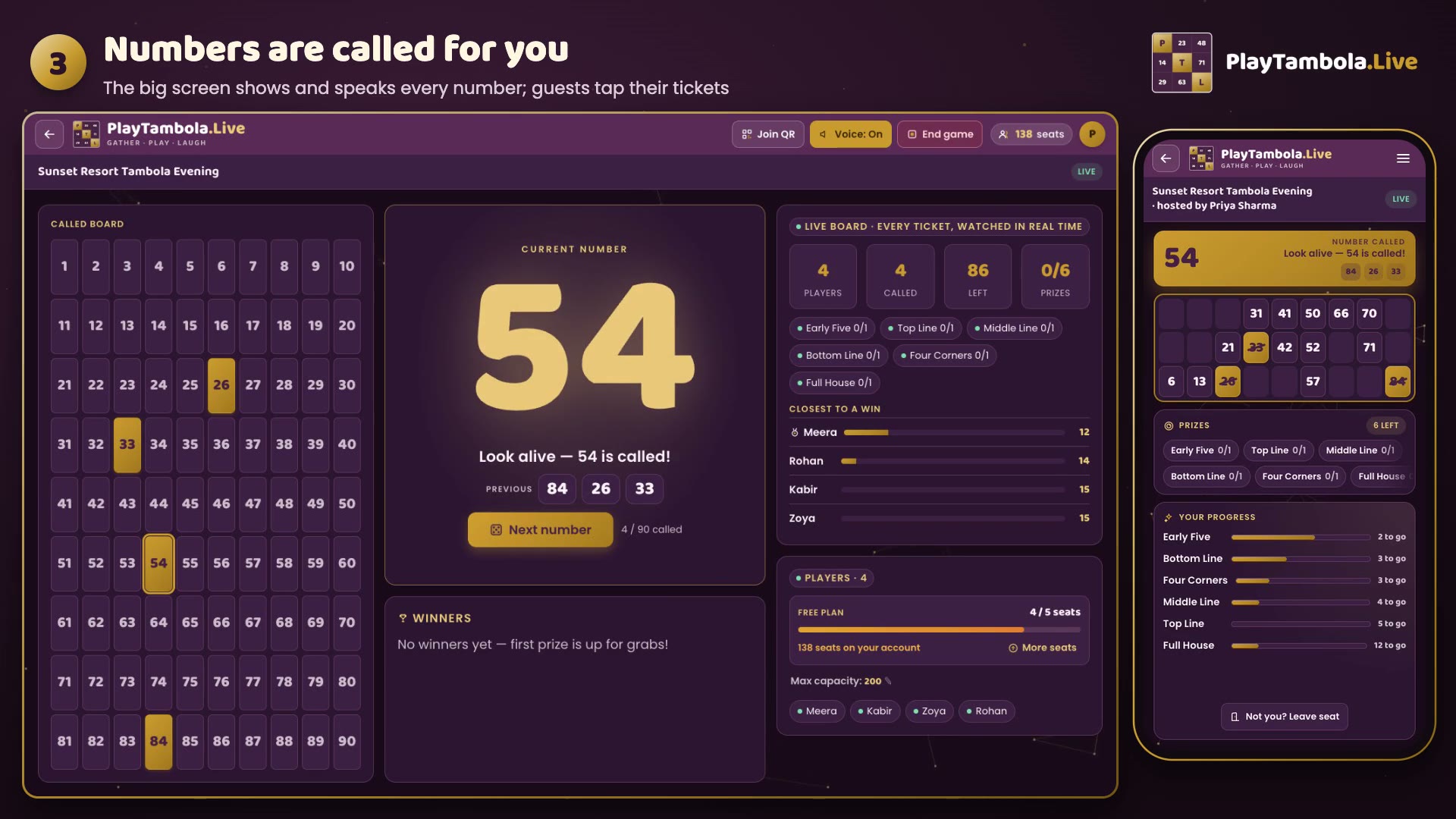
Real app screens
What will your guests actually see?
Every screen below is captured from the live app — nothing mocked up. The host sets up a game and opens a lobby with a QR code, the big screen shows each call huge and spotlights every winner, and players need nothing but a phone browser to join, mark their ticket and see the results.
Host
Everything the host needs fits on one screen: set up the game, open the lobby, and finish with results.
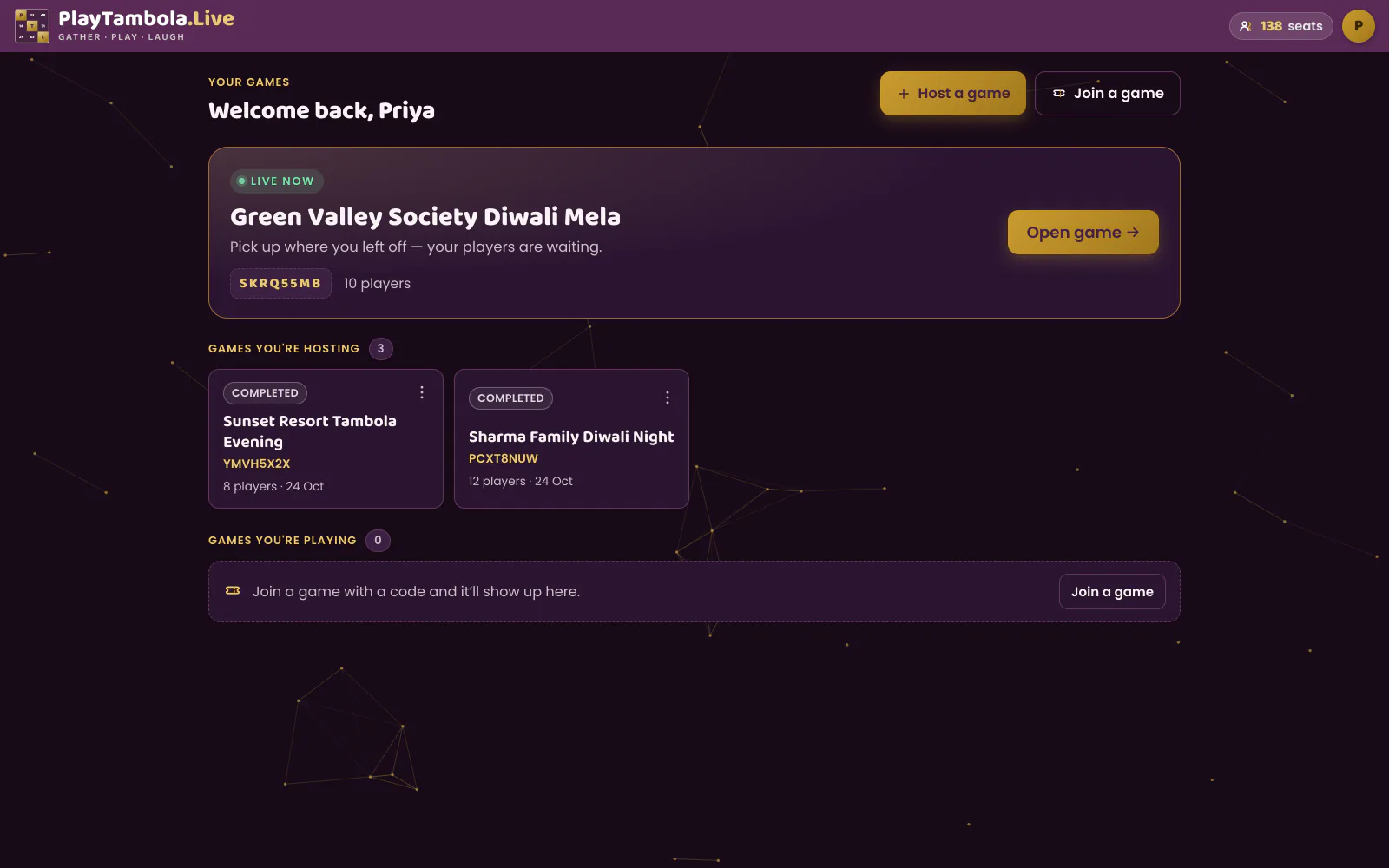
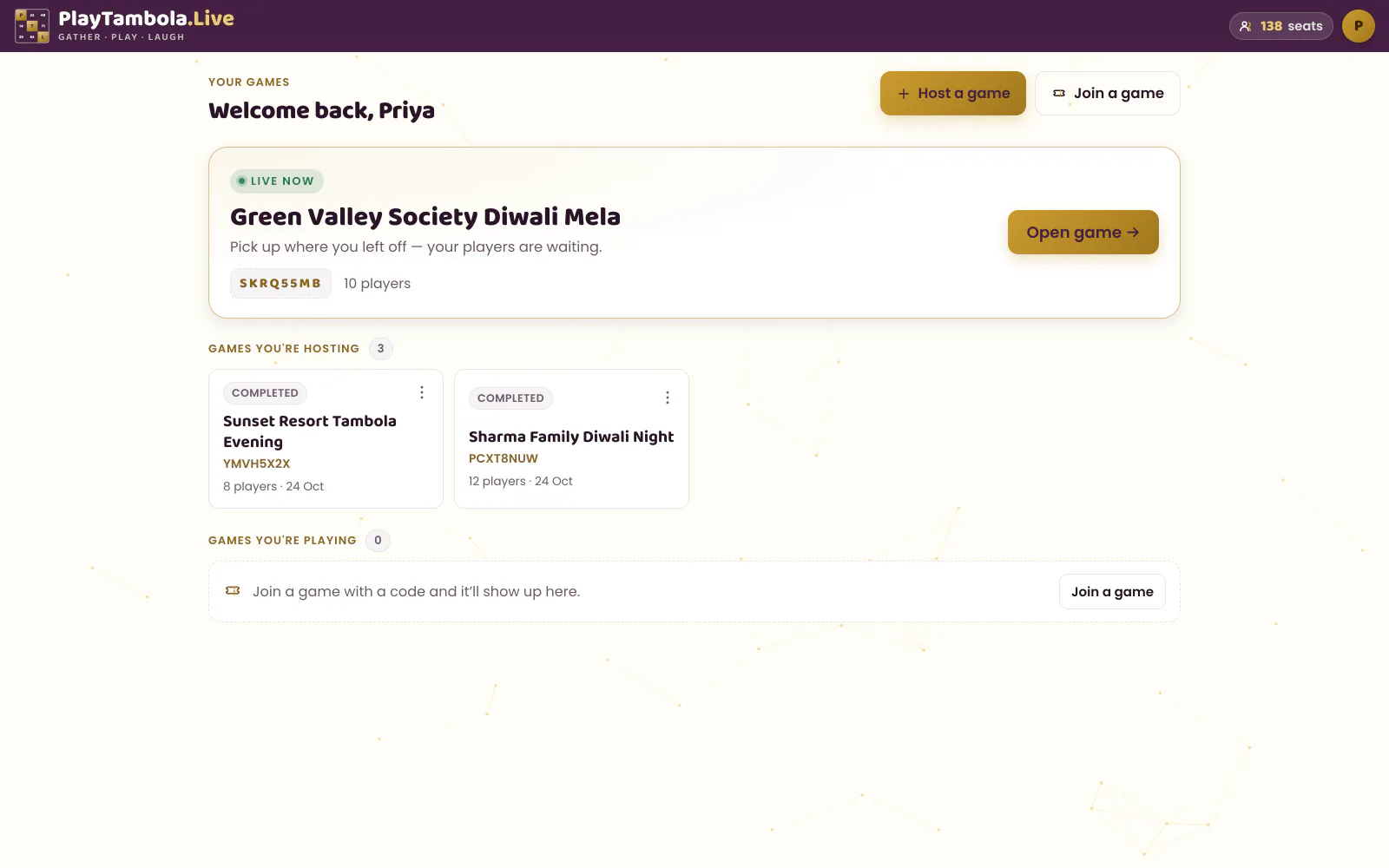
Your games, one tap away
Start a new game or pick up where you left off.
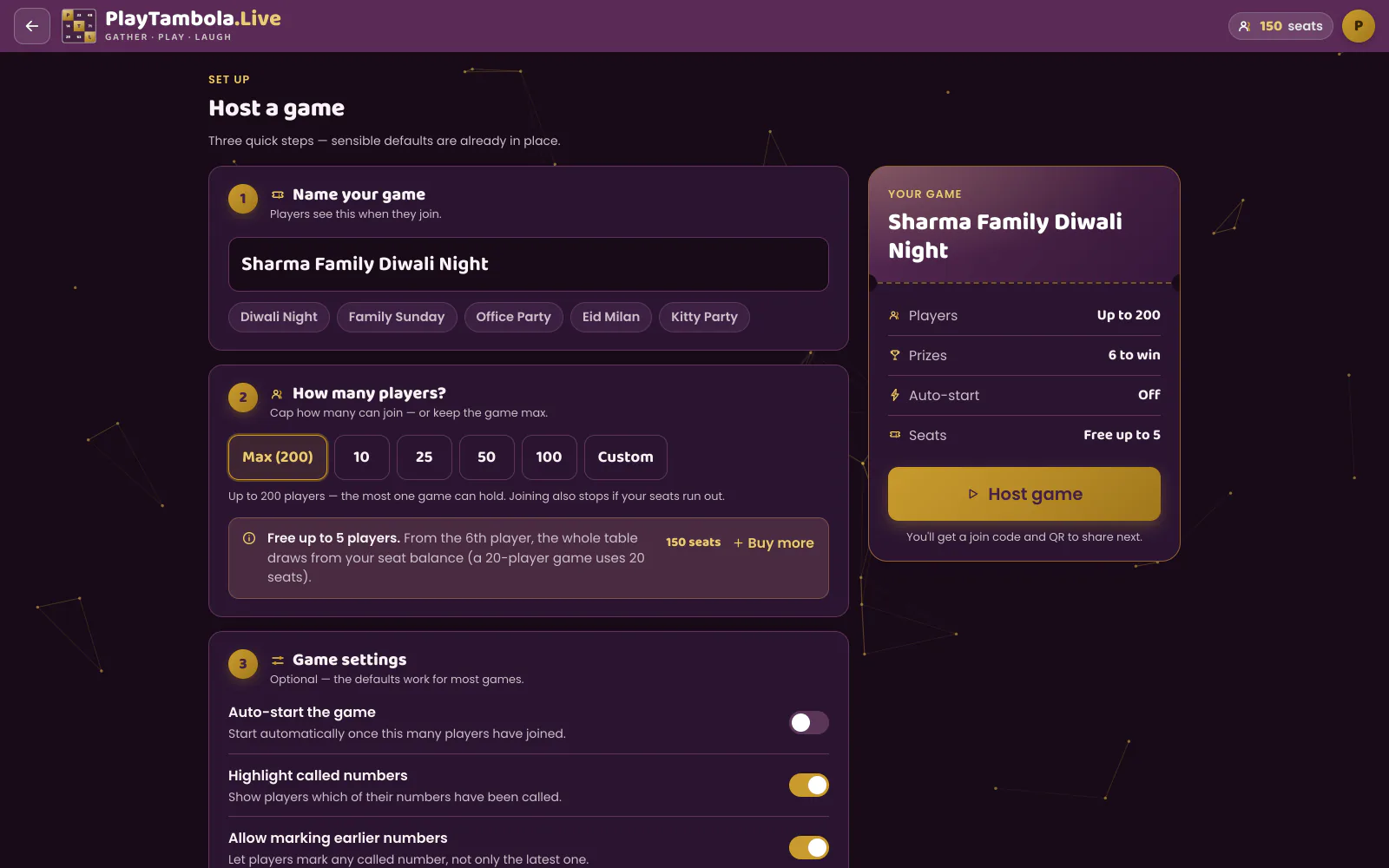
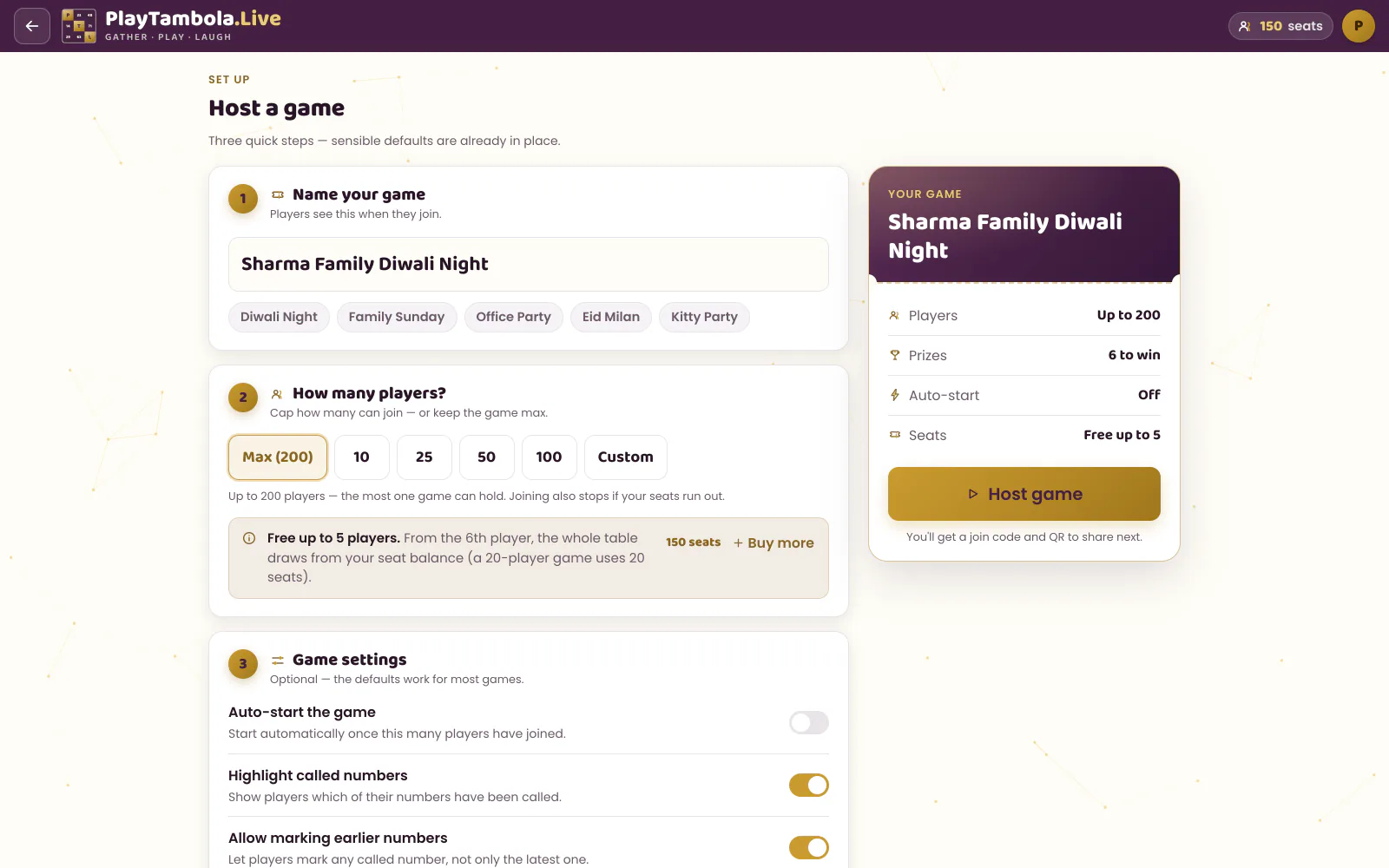
Set up in seconds
Choose prizes, how many times each can be won, and your capacity.
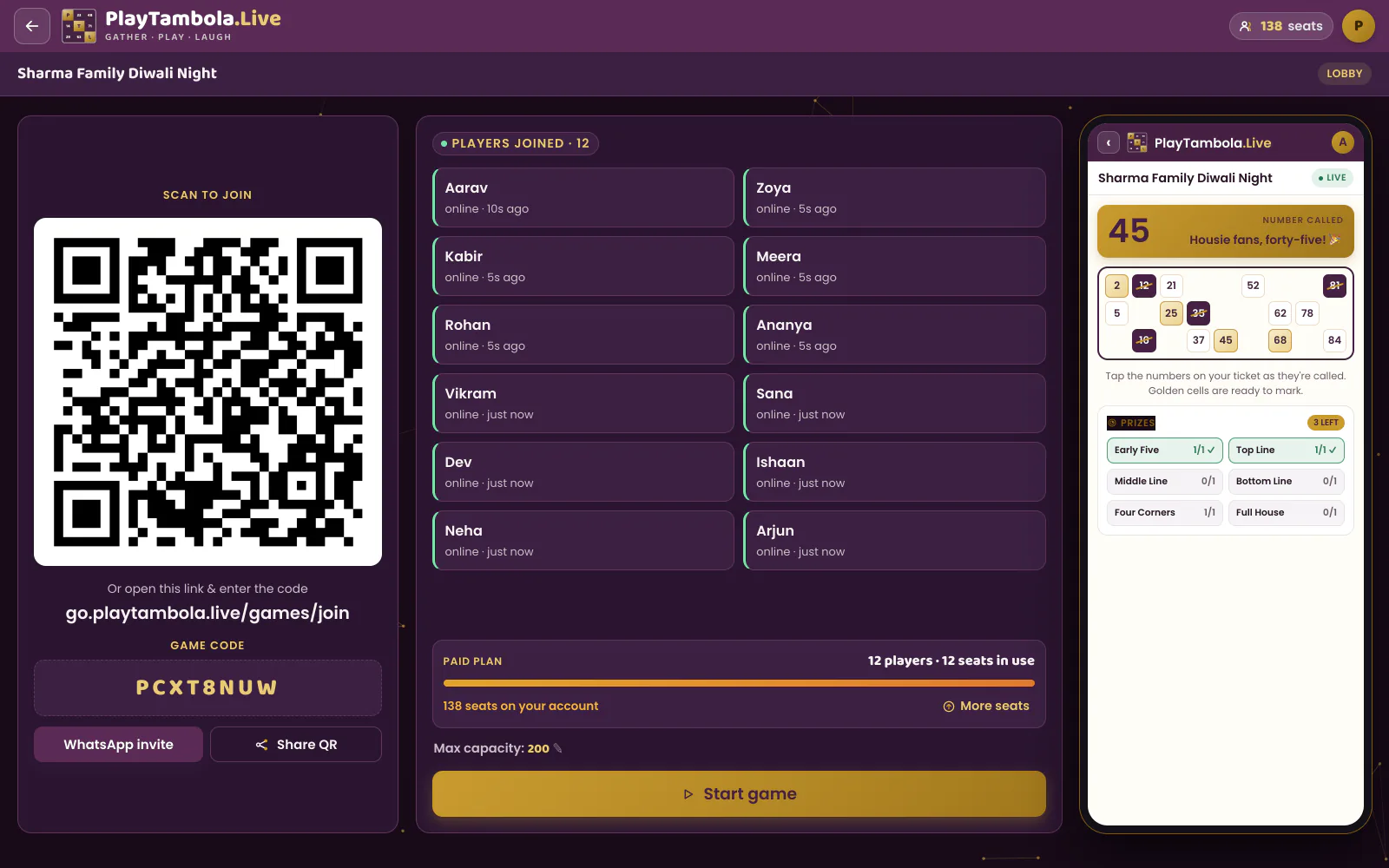
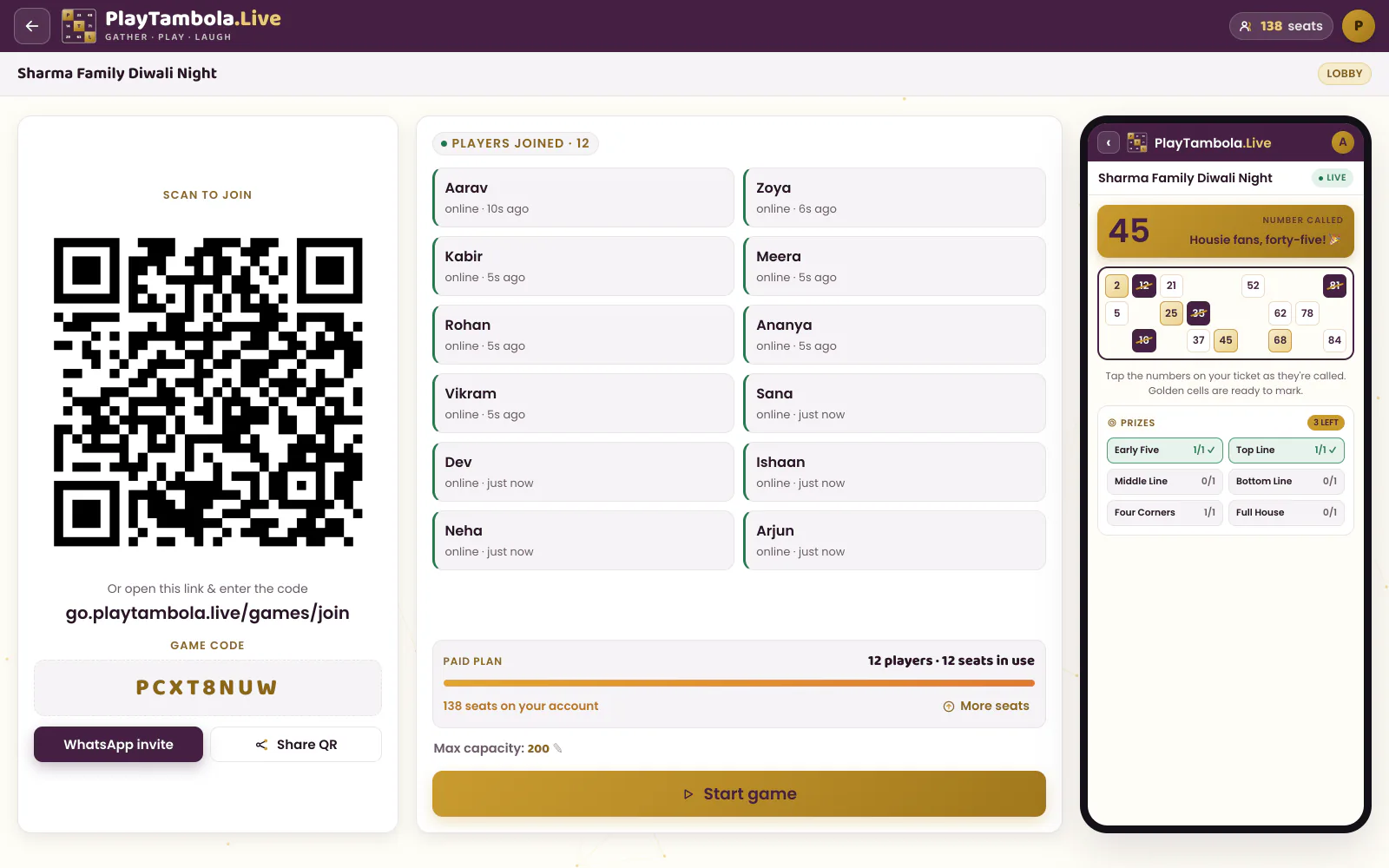
Lobby with a QR code
Guests scan to join and appear on screen as they arrive.
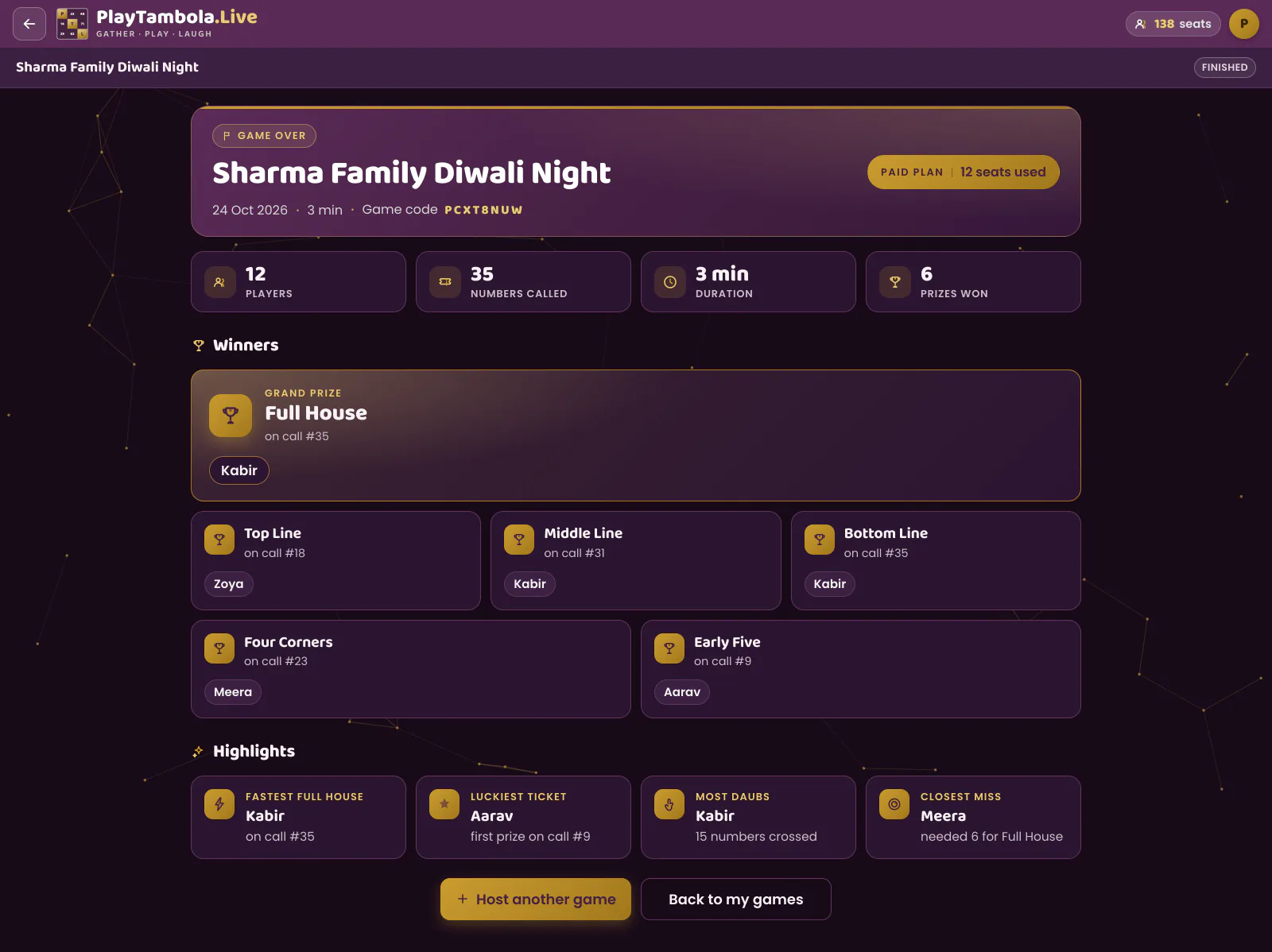
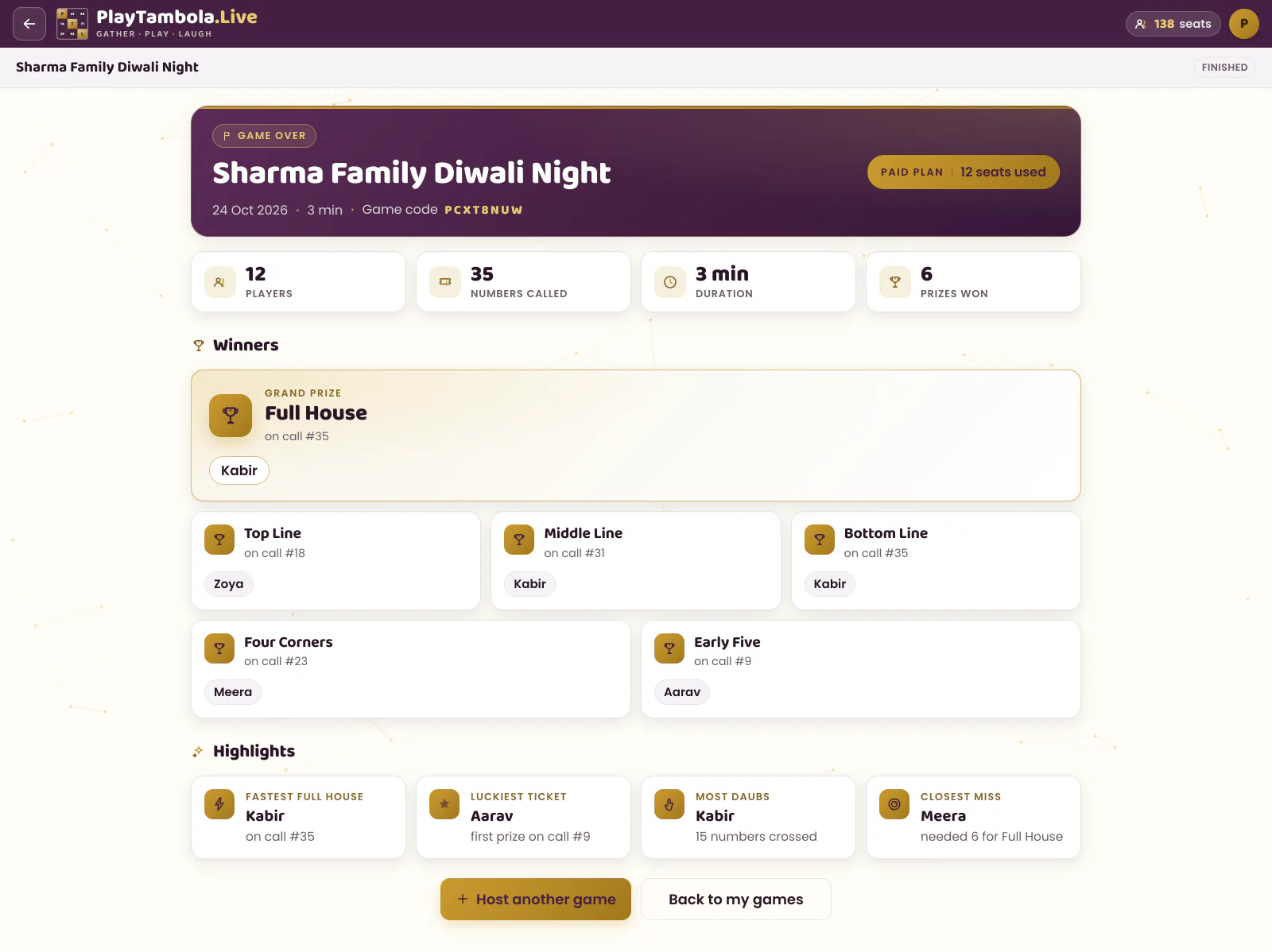
Results & highlights
Winners for every prize plus fun highlights like Fastest Full House.
Big screen
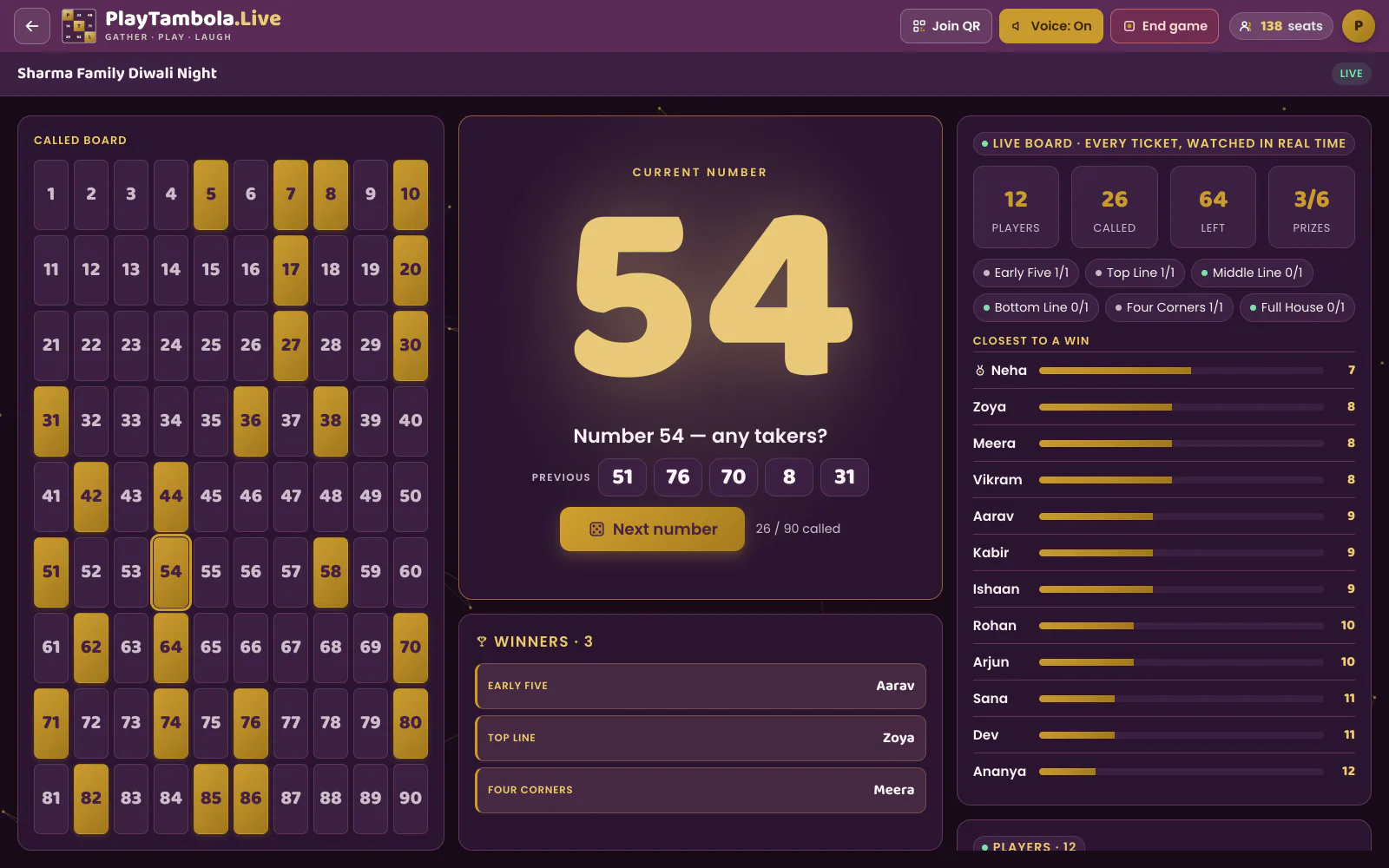
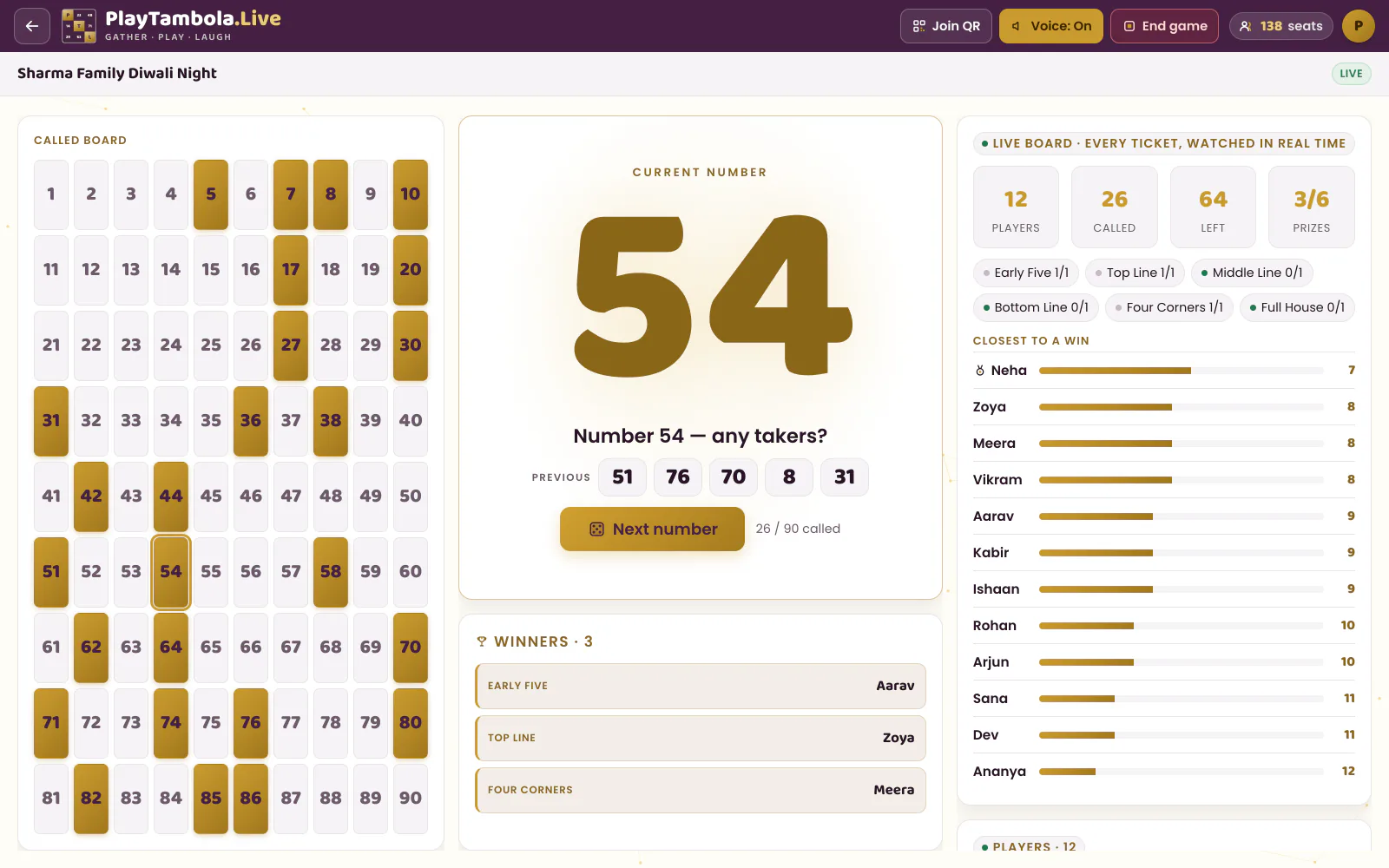
The big-screen view is built to be read from the back of the hall: a huge number, a spoken call, and a live tension meter.
Live calling
Each number is animated, shown huge and spoken aloud with a witty line.
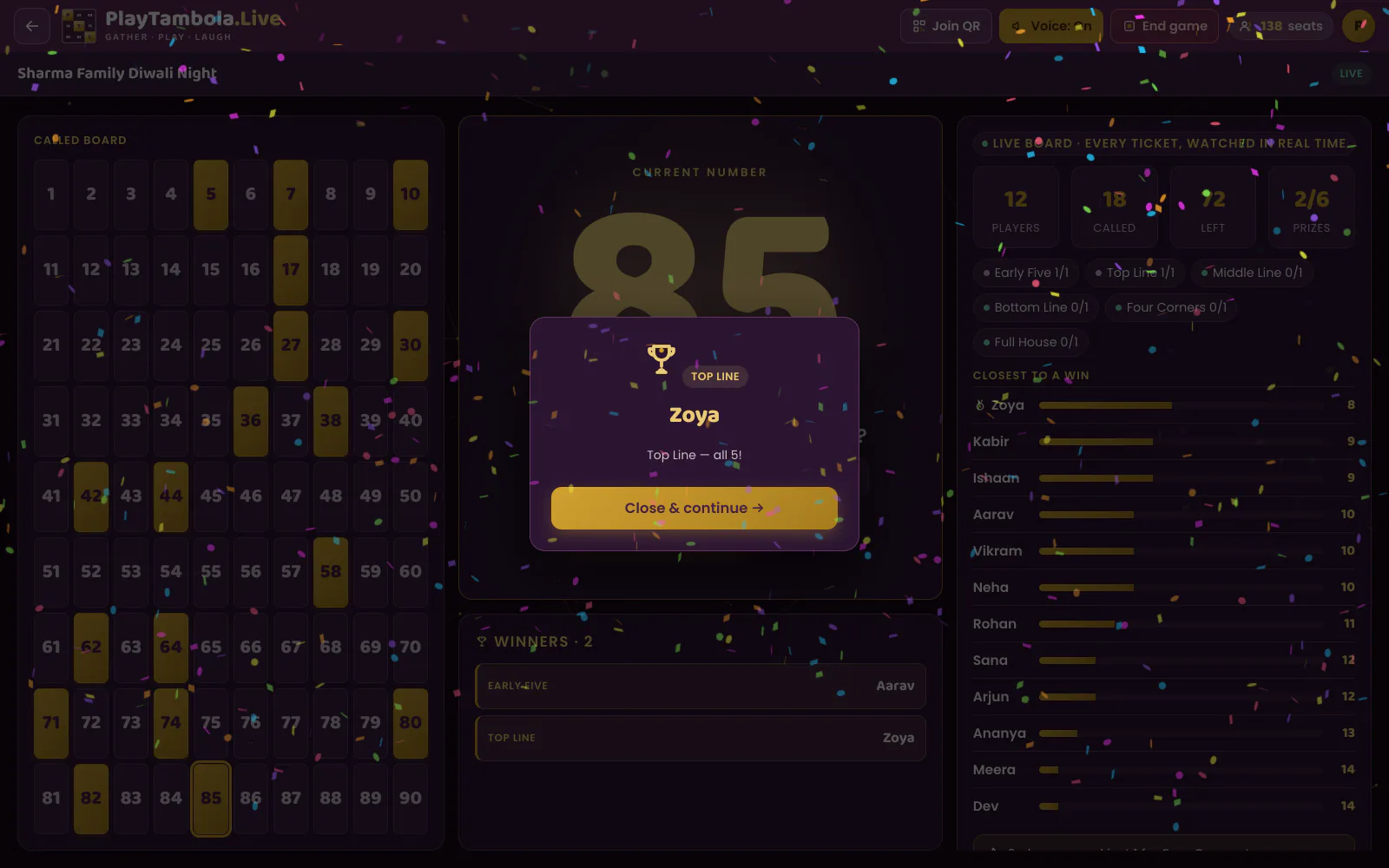
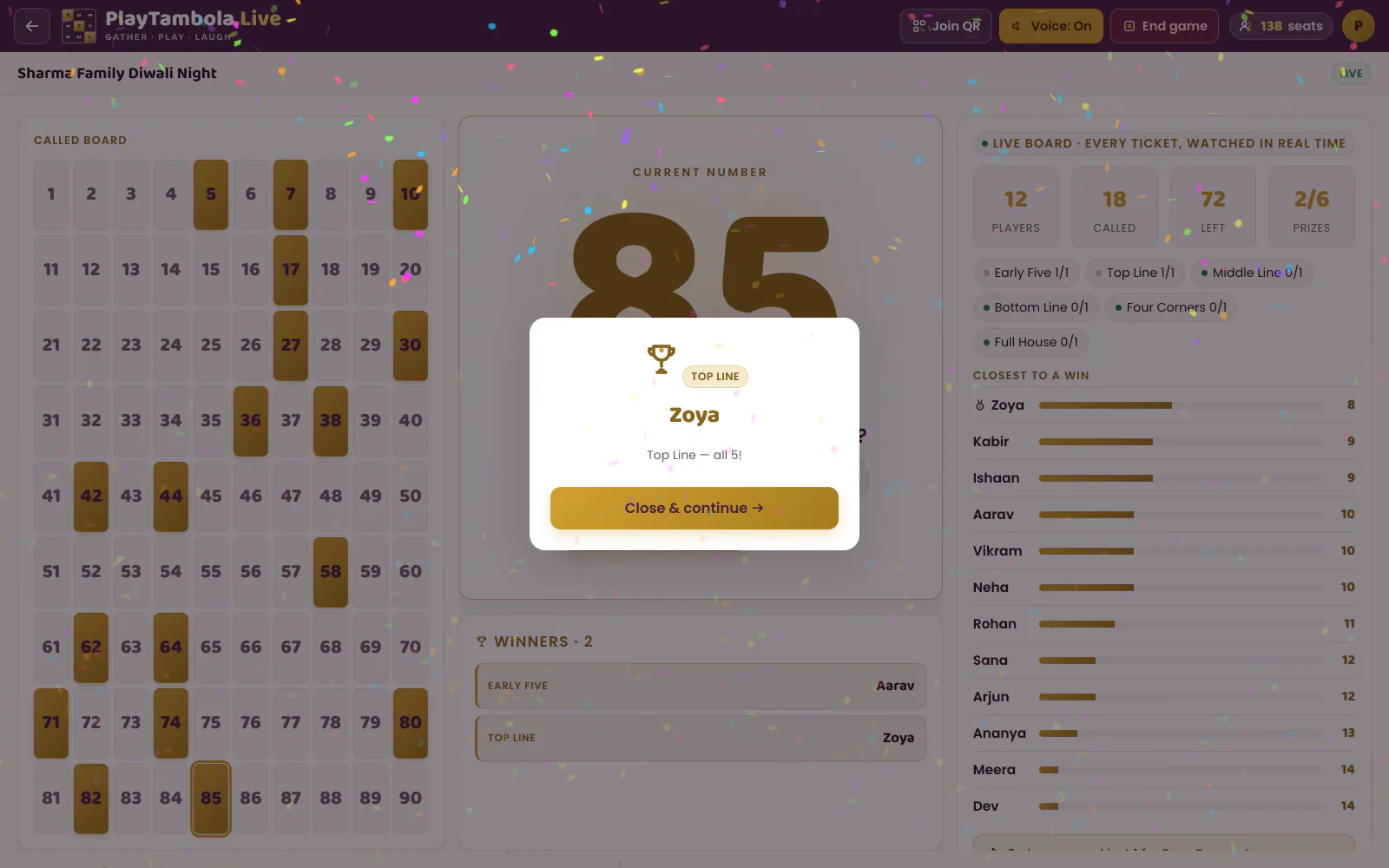
Winner spotlight
Confetti and a spotlight the moment the server confirms a win.
Players
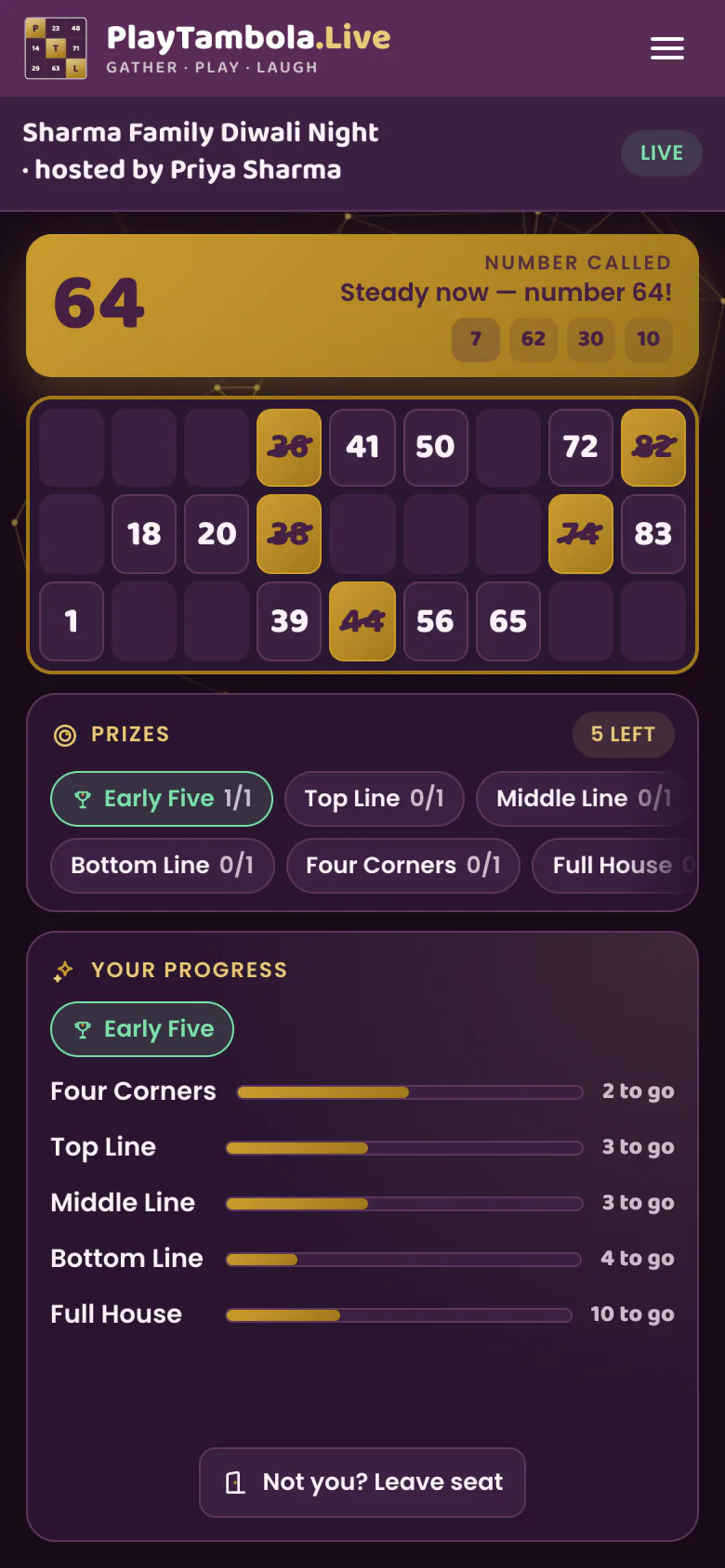
Players need nothing but a phone browser. Scan, type a name, and the ticket is ready.
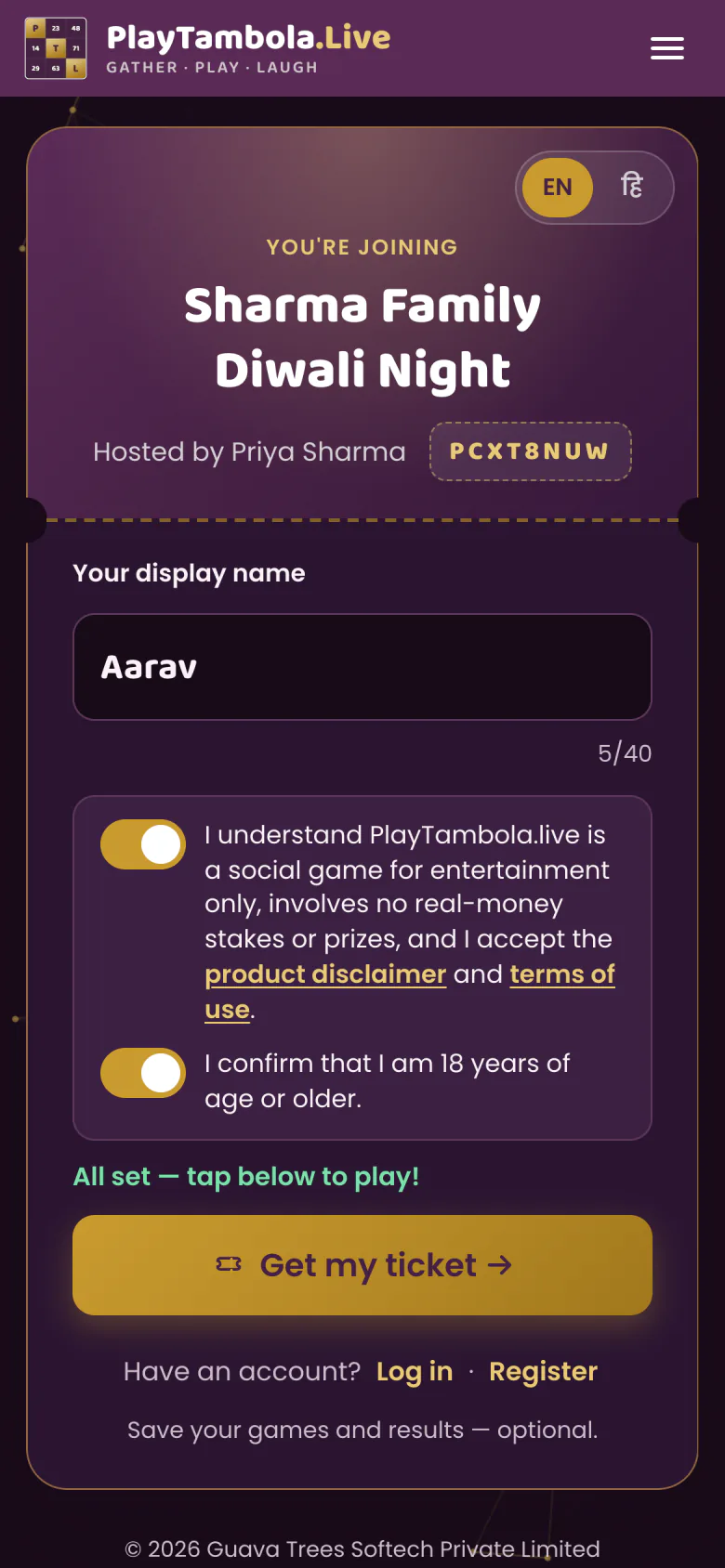
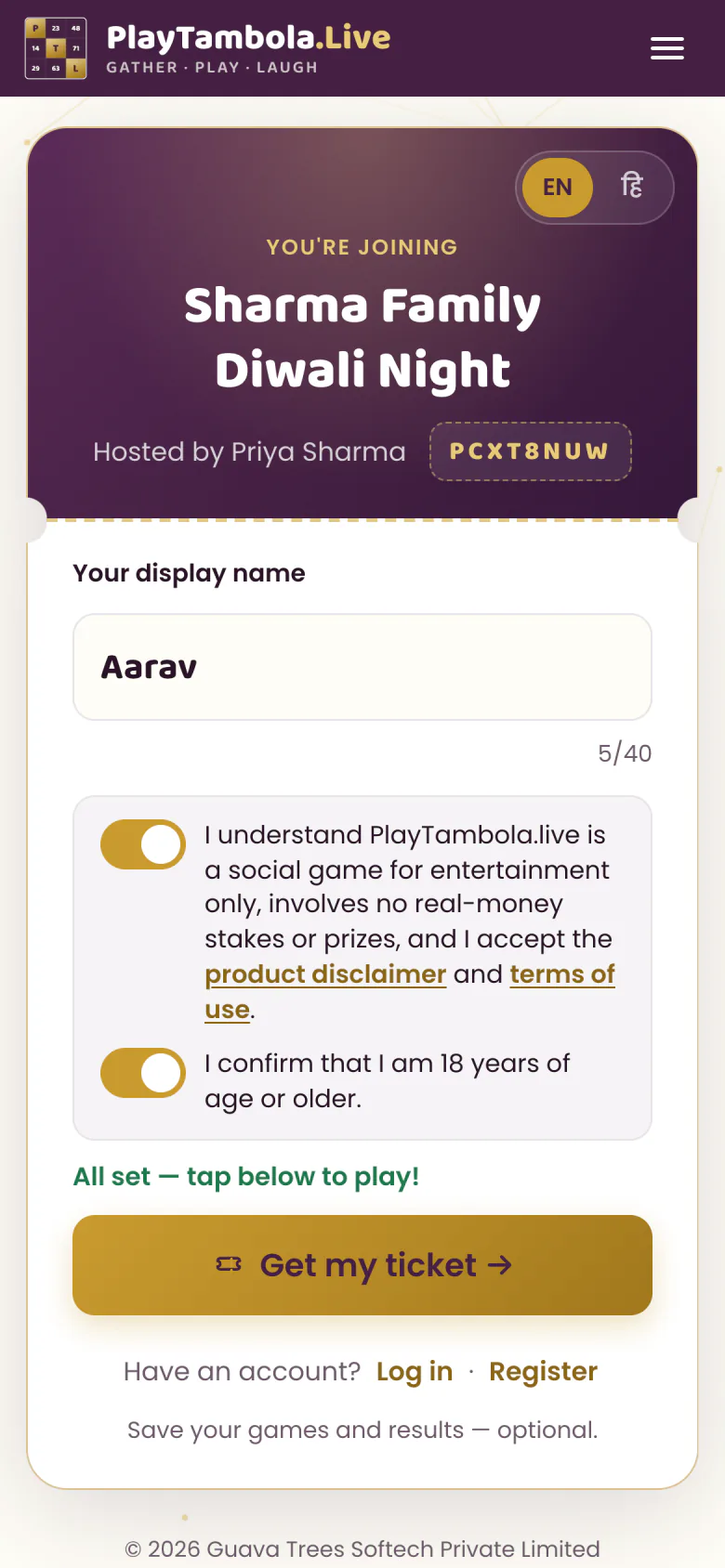
Join
Scan the QR or type the code.
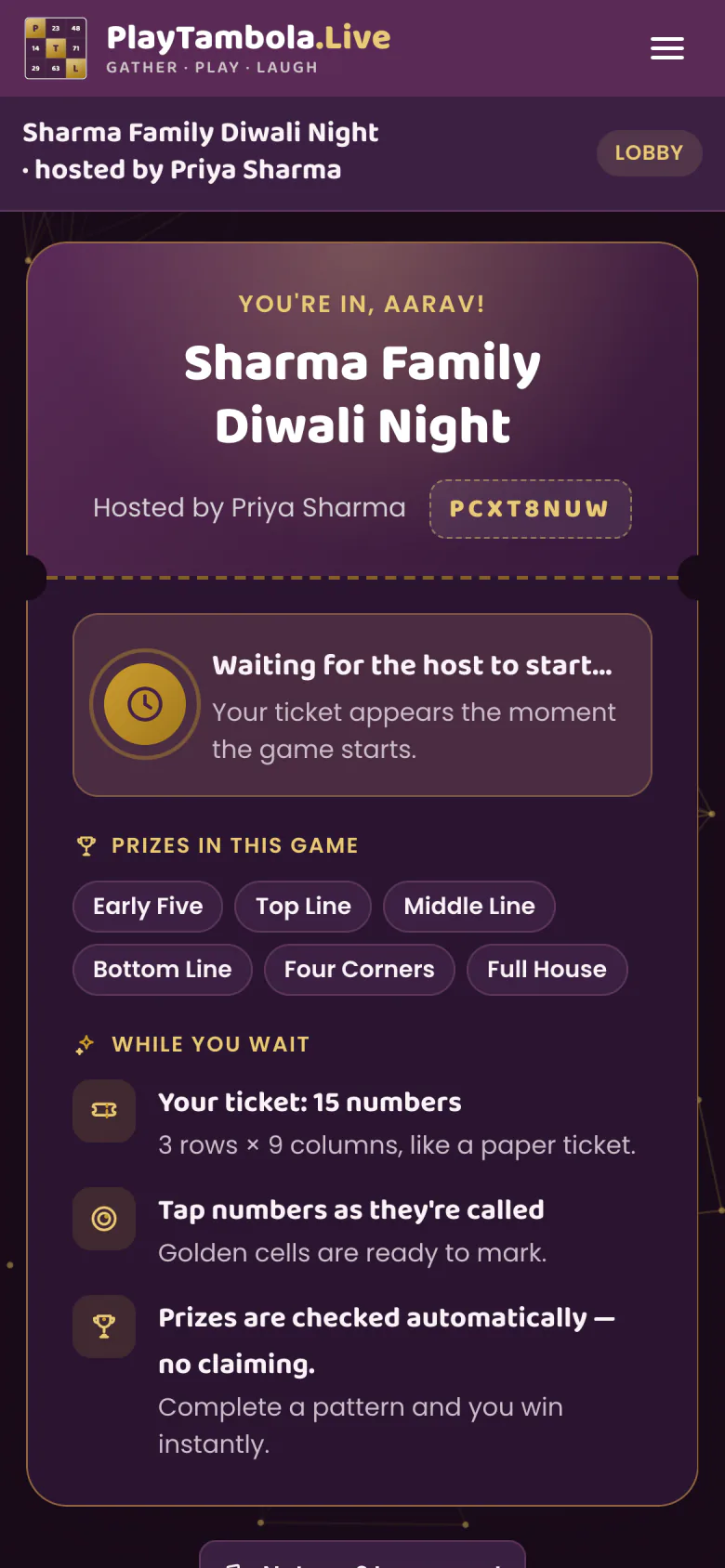
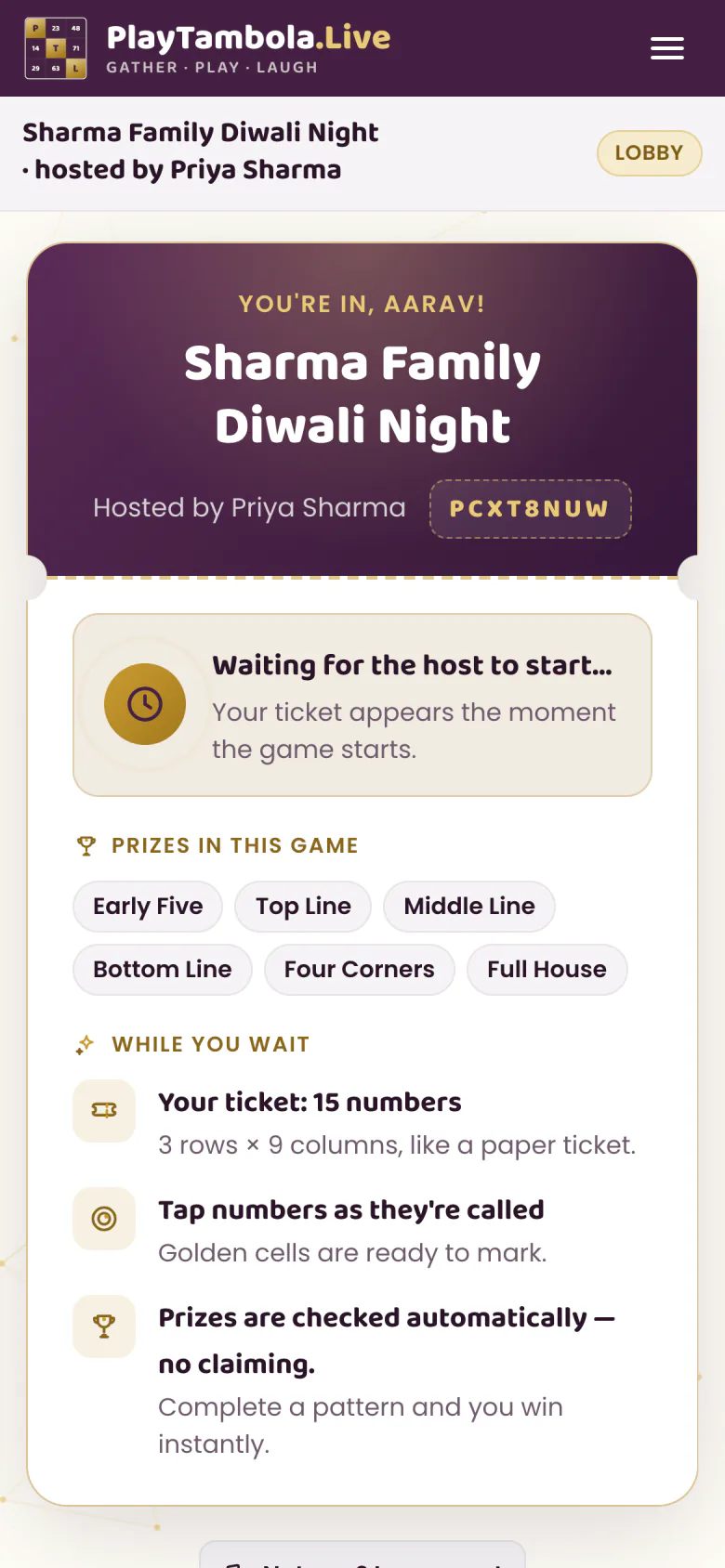
Get your ticket
Wait for the host to start.
Tap to mark
Only called numbers can be marked.
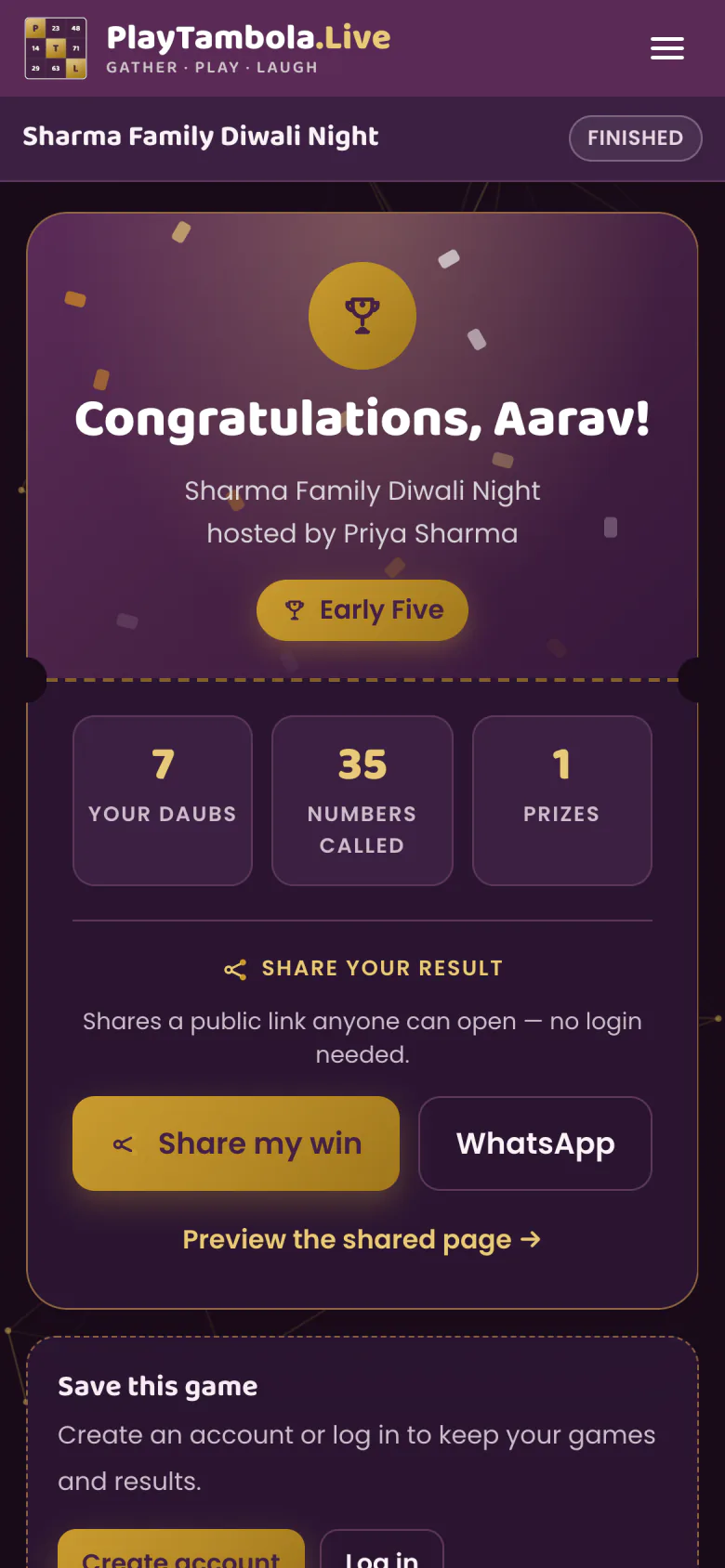
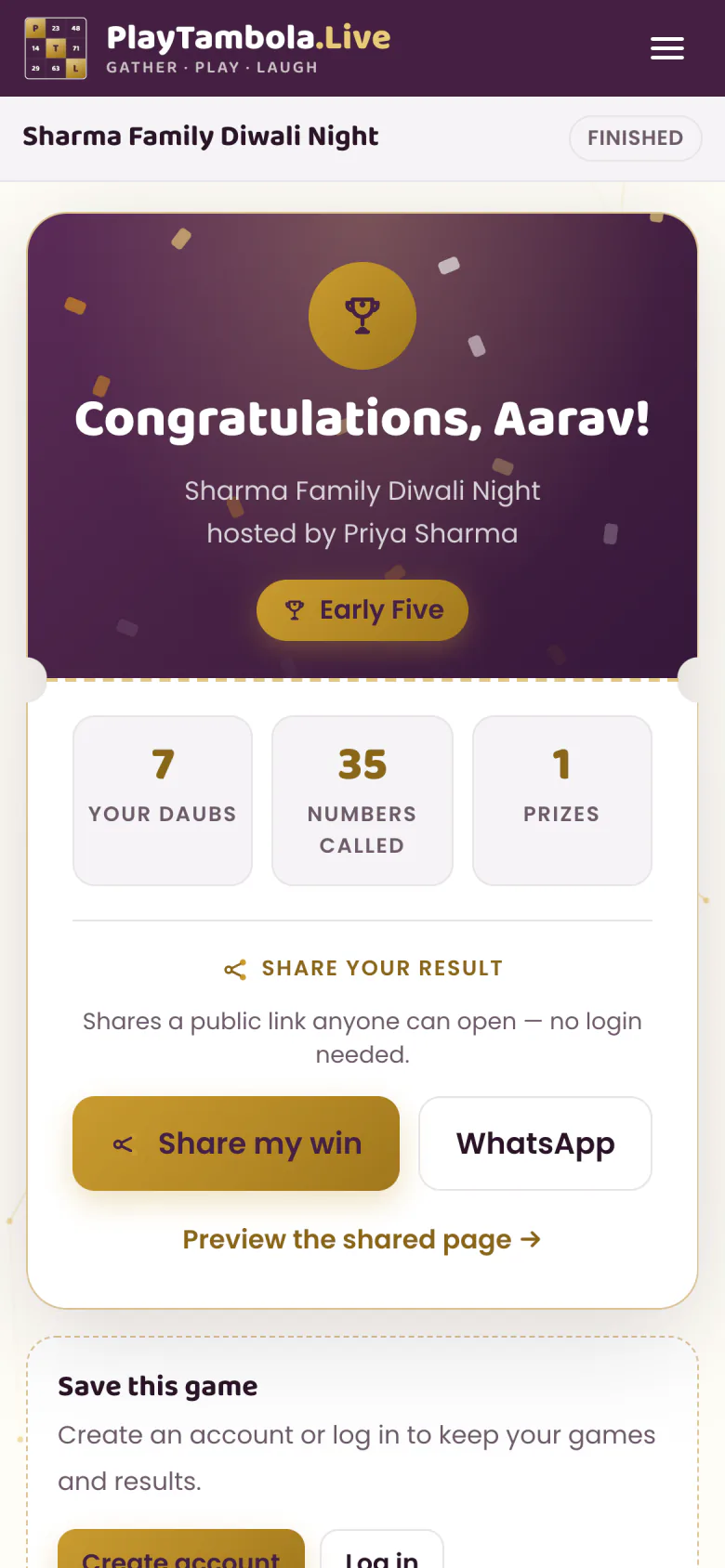
See results
Winners and highlights at the end.
Audience-engagement software, built for
Online tambola for events, families & parties
Whoever is holding the mic: event organizers and corporates, families and communities, kitty parties, wedding planners, and resorts and hotels. From a 20-guest party to a 200-member community evening, it’s one game on one screen with everyone included — and the server does the checking while you run the room.
Corporate tambola for office parties
An ice-breaker for office parties, team events and offsites that runs itself. Everyone gets a ticket by QR, the whole room watches one screen, and the server does the checking while you run the event.See howFamilies & communities
Family get-togethers, society meets, club nights, festival evenings — up to 200 members in one game, in English or हिन्दी, with results everyone can see.See howKitty parties
A monthly kitty or a friends’ get-together — nobody has to sit out to call numbers or check tickets, and games with up to 5 players are free.See howWedding planners
Sangeet, mehendi or a family function — a game every generation can join from their own phone, while the big screen keeps the whole hall together.See howResorts & hotels
A ready-made guest activity for the lawn, banquet or lounge. Seats never expire, so one bundle covers game after game.See how
Features
Everything a tambola host needs, built in
Players who join by QR with no app, a server that checks every win, and a witty AI caller that speaks every number aloud. Add 8 prize categories, fair co-winners, a live tension meter, shareable results and auto-start, in English or हिन्दी — and nothing a host has to manage by hand.
No app, no login
Players join in their phone browser with a QR code or game code — just a name.
Server-checked wins
The server records every tap and announces winners automatically. No shouting, no disputes.
A witty AI caller
Each number is spoken aloud with a witty, family-safe line — written fresh by AI in paid games. Phones stay quiet.
8 prize categories
Early Five to Full House, plus Pairs and All Zeros. Pick which are in play and how many times each can be won.
Fair co-winners
Everyone who completes a prize on the same number wins together.
Tension meter
“N players need 1 number” — live on the big screen, plus highlights as the game builds.
Results to share
Winners per prize plus Fastest Full House, Luckiest Ticket, Most Daubs and Closest Miss. Players can share a result link.
Auto-start
Set the game to start on its own when enough players have joined.
English & हिन्दी
Play in either language, in light or dark theme.
Caller app or full game?
More than a number caller: the whole game, on one big screen
A number-calling app only reads out numbers. PlayTambola.Live runs the tickets, the calling, the checking and the results.
| What you need | A number-calling app on one phone | PlayTambola.Live |
|---|---|---|
| Tickets | A number-calling app on one phonePaper tickets, printed or bought separately | PlayTambola.LiveA ticket on every player’s own phone, with no app to install |
| Calling | A number-calling app on one phoneOne phone reads the numbers out to the room | PlayTambola.LiveEach number shown huge on the big screen and spoken with a witty line, in English or Hindi |
| Checking wins | A number-calling app on one phonePlayers shout their claims and the host checks them by hand | PlayTambola.LiveThe server checks every win automatically, and co-winners on the same number win together |
| Big rooms and remote guests | A number-calling app on one phoneHard to follow from the back of a hall or over a video call | PlayTambola.LiveCast to a TV, or share the big screen on Zoom, Teams or Google Meet |
| Results | A number-calling app on one phoneNothing to look back on once the game ends | PlayTambola.LiveA results screen with winners, highlights and a shareable result link |
Pick your setup
Which way to play suits your event?
From a paper game to a full room on one big screen — pick the option that fits your crowd. For a paper game or a small group, free is enough.
Paper tickets and a printed board
- Suits
- A game where everyone plays on paper and you call the numbers yourself.
- Costs
- Free. Print tickets with the ticket generator in your browser — no sign-up.
A small group
- Suits
- Family or a few friends — up to 5 players, each on their own phone.
- Costs
- Free, with every feature included.
A room on one big screen
- Suits
- Everyone plays on their own phone while the game runs on your TV from your phone — or on a laptop or projector.
- Costs
- Seat bundles: one seat per player once a game has more than 5 players. Seats never expire.
- Example: a 40-guest event uses 40 seats. The Popular bundle — 50 seats for ₹229 + GST — covers it, with 10 seats left for the next game.
Not sure yet? Try it first
- Suits
- Seeing how a game runs before you host one — you call the numbers while four bots play.
- Costs
- Free, with no sign-up. It takes a few minutes.
Pricing
How much does online tambola cost?
Any game with up to 5 players is free, with every feature. When a game grows past 5, each player uses one seat from your balance. There’s no subscription or monthly fee, seats are used only when a game completes, and they never expire — so one bundle lasts game after game.
- One seat per player — only when a game has more than 5 players
- Seats are held during the game and released if someone leaves
- Seats are used only when the game completes
- No subscription, no monthly fee — seats never expire
Bundles from
₹99
20 seats · ₹4.95 per seat — down to ₹3.00 per seat
- 20Starter
- 50Popular
- 200Value
- 500Pro
- 1k1,000Mega
+18% GST at checkout
Example: a 40-guest event uses 40 seats. The Popular bundle — 50 seats for ₹229 + GST — covers it, with 10 seats left for the next game.
FAQ